Pixboard
A free VST3 multi-effect with 12 pedals and a pixel-art interface.

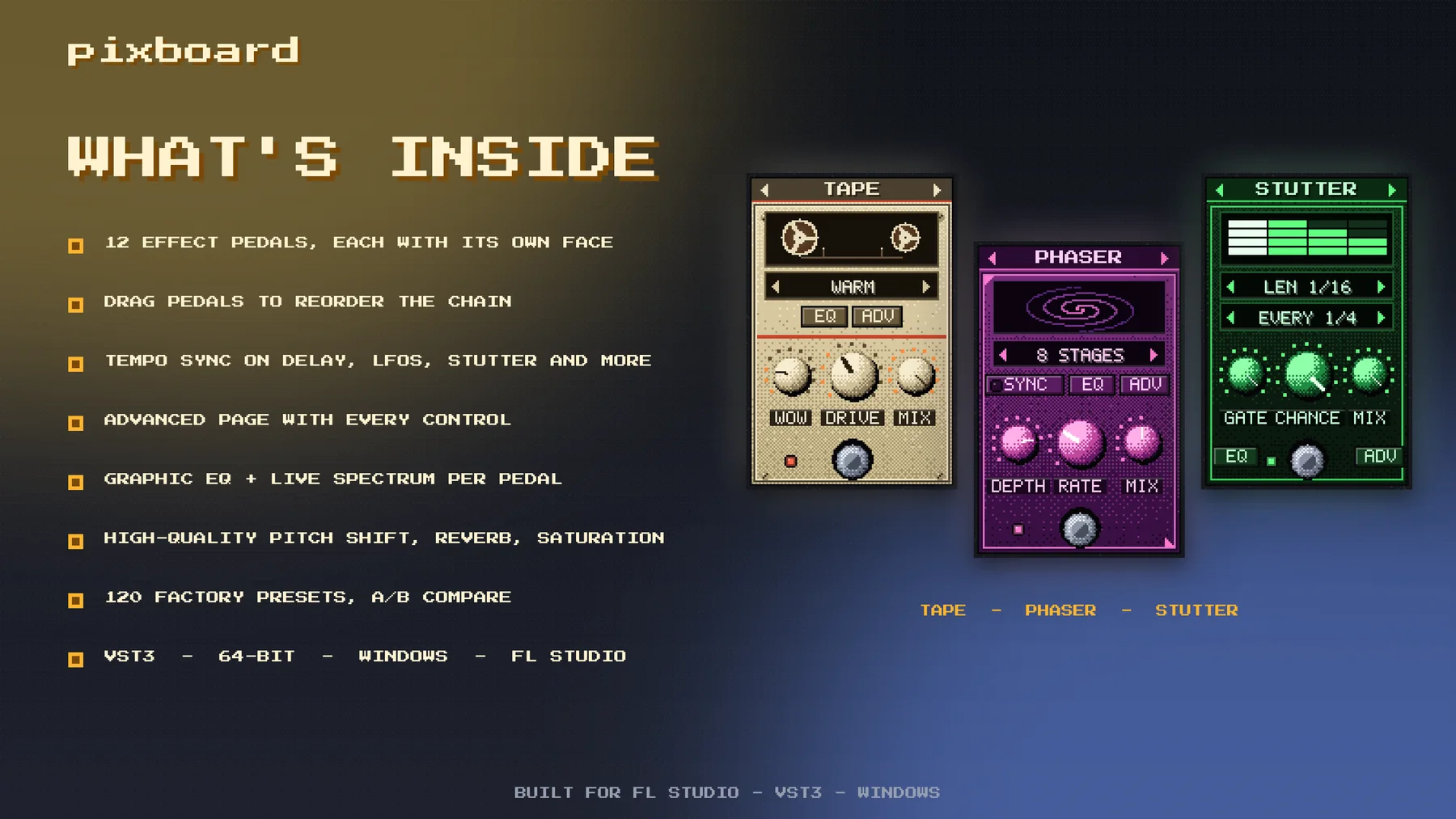
Features
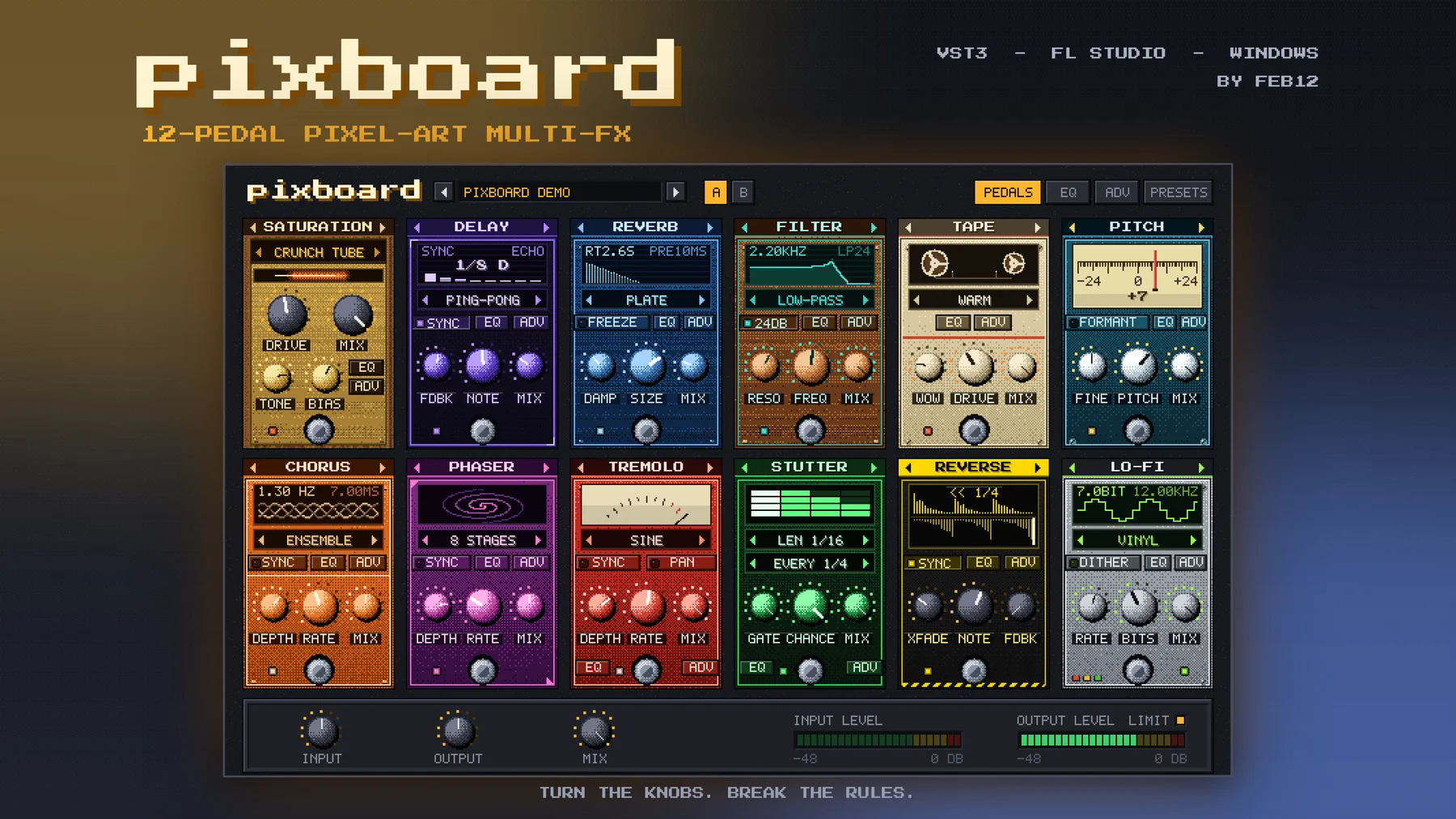
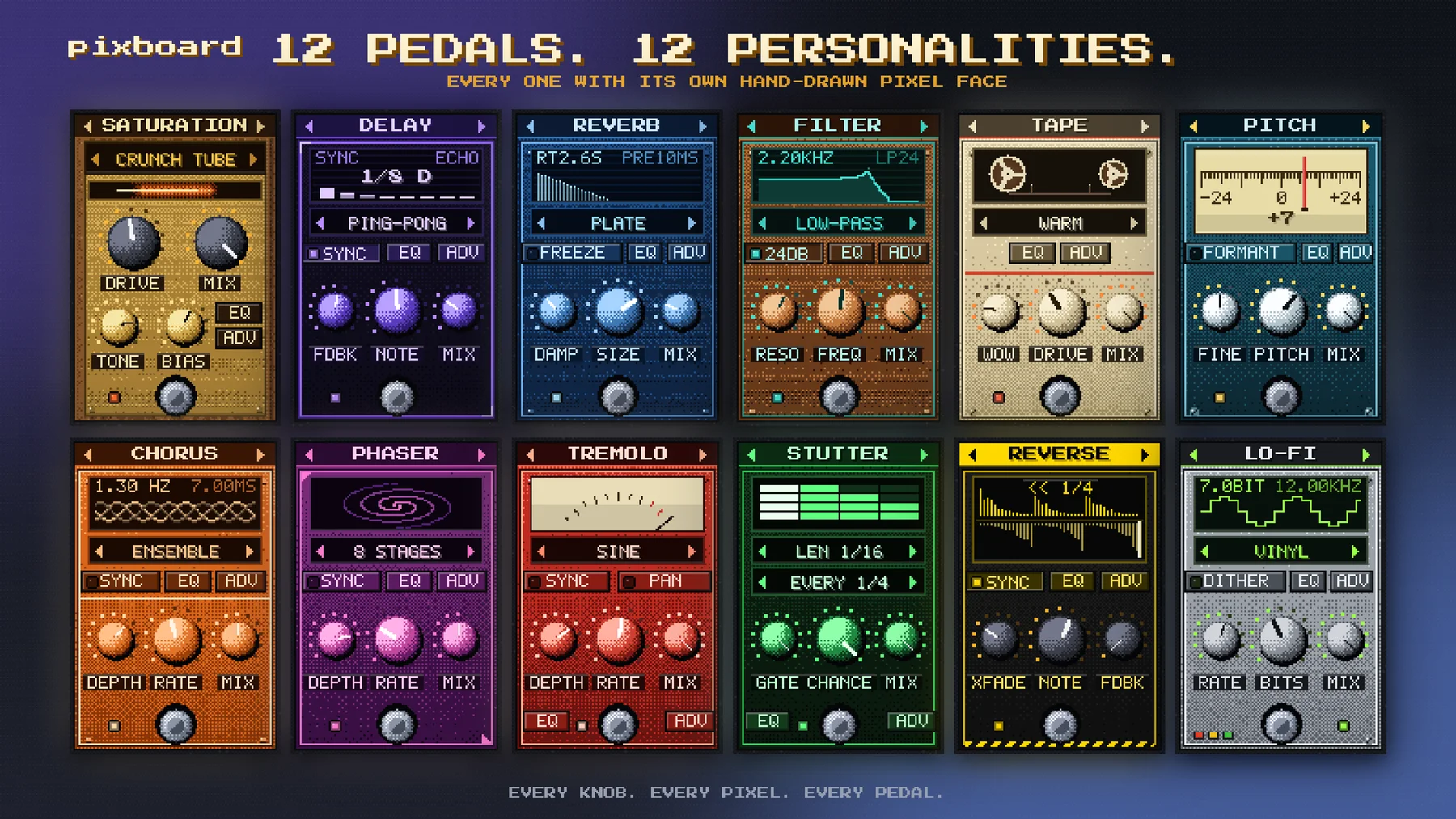
- 12 pedals, one plugin
Saturation, Delay, Reverb, Filter, Tape, Pitch, Chorus, Phaser, Tremolo, Stutter, Reverse and Lo-Fi. Drag to reorder the chain.
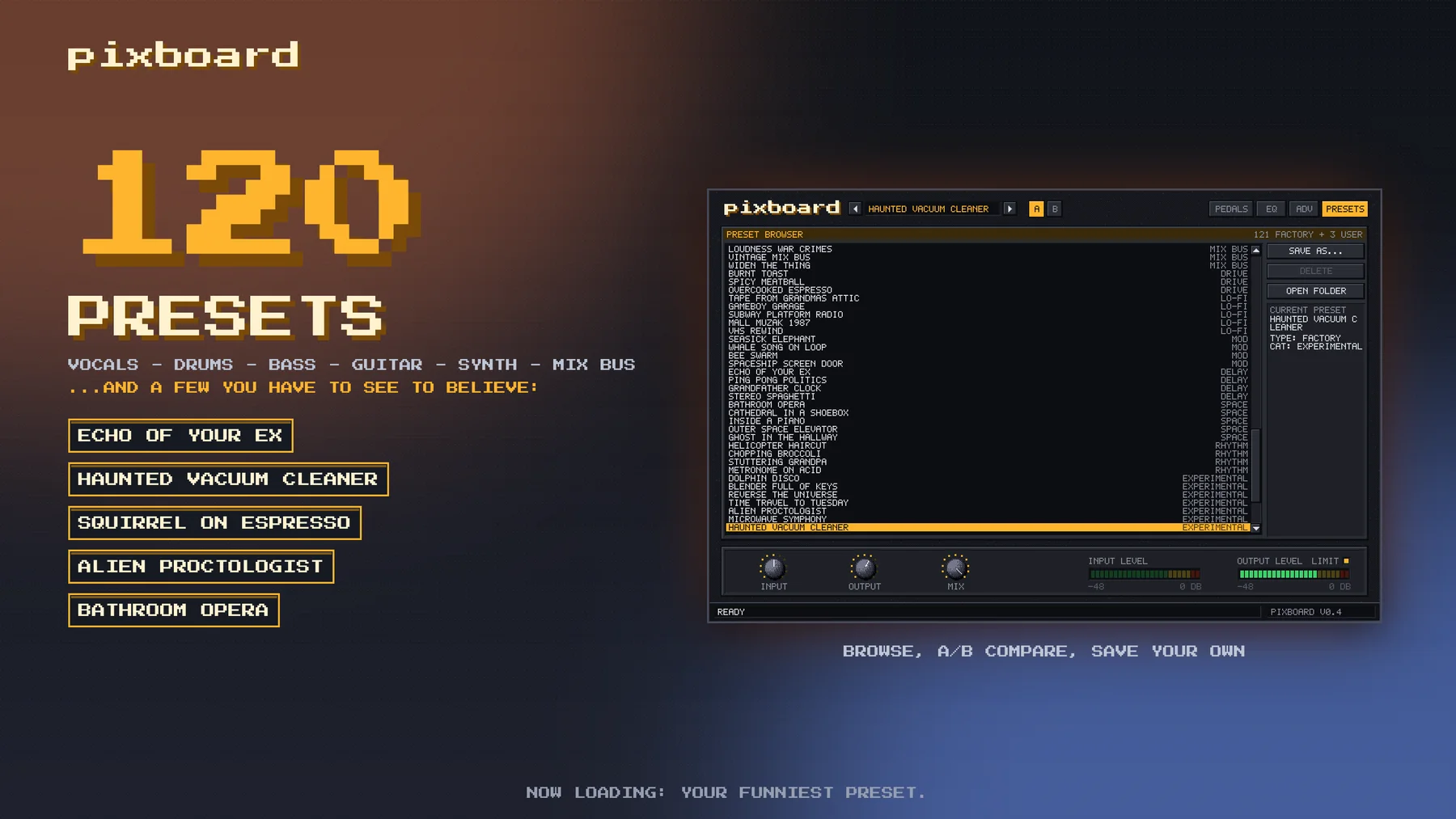
- 120 factory presets
Vocal, drums, bass, guitar, synth, mix bus, drive, lo-fi, mod, delay, space and rhythm categories. Levels are balanced, all between −7 and +3 dB.
- A/B compare
Flip between two settings with one click and hear the difference.
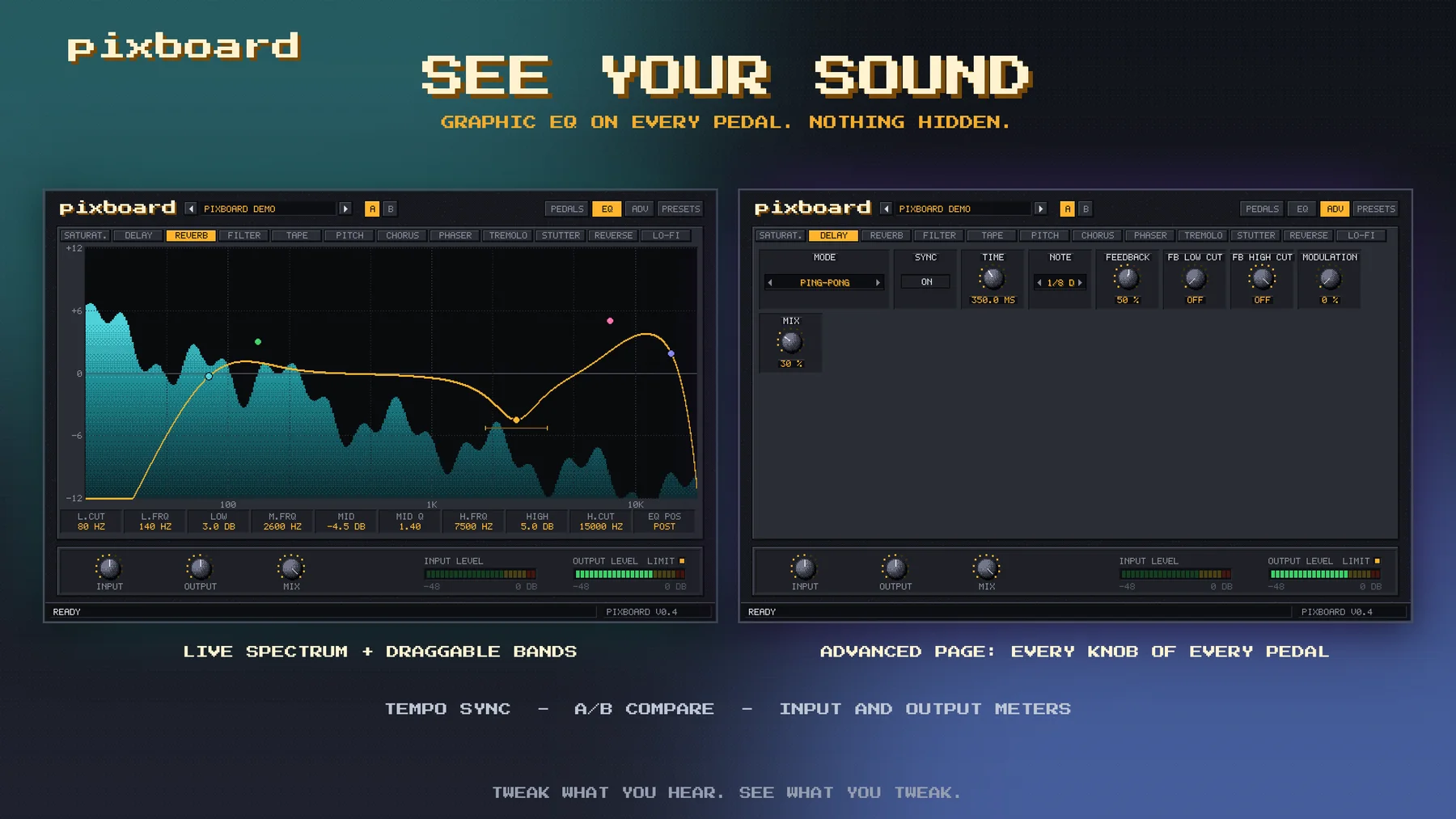
- Main controls up front, the rest in ADV
Each pedal shows its most-used controls on the face. The ADV page opens every control of the pedal.
- Graphic EQ and live spectrum
Every pedal has its own graphic EQ and live spectrum.
- Tempo sync
Delay, Chorus, Phaser, Tremolo, Stutter, Reverse and the Filter LFO can lock to note values.
- Level meters
Watch input and output level live in the bottom panel.
Install
- Download and run pixboard-setup-v0.4.exe.
- If Windows shows an "unknown publisher" warning, click "More info" → "Run anyway". The installer is not code-signed yet.
- Open FL Studio. Options → Manage plugins → "Find installed plugins".
- Find "Pixboard" in the plugin list and add it.
No installer: if you downloaded the VST3 only zip instead of the .exe, copy the Pixboard.vst3 folder inside it to C:\Program Files\Common Files\VST3 (needs admin rights) and scan in FL like step 3 above. To remove it, just delete that folder.
Verify your download
Compare the SHA-256 of the file you downloaded with the one below. In PowerShell: Get-FileHash <file>.
- Installer (.exe) pixboard-setup-v0.4.exe
891106af85f60f0555322af65ea2f798194b3b71cc295faff6062a4151dff4bc- VST3 only (.zip) pixboard-v0.4-vst3.zip
ecc3116d271c80b4ff68d65f2a3bc76adefeba6c388b4499a7e2f49c7613a44e
License
Free to download and use, and the music you make with it is yours. Provided as is, without warranty. Please share the link to this page instead of re-uploading the files, and don't sell them or pass off modified copies as your own.
Requirements
Windows 10/11 (64-bit) · a host that supports VST3.
Feedback
For problems or suggestions: @hwlill or halilseven52@gmail.com.